








Advanced Process Explorer for Windows
- Trial version
- 4.7
- 7
- V1.2.1
Download for Windows
View an ad to download for free

- Ashkon Software LLC
- More programs (15)
Windows process monitor and explorer
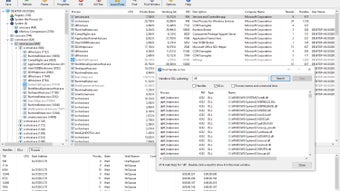
Advanced Process Explorer shows exactly what is running on your Windows PC, what started it, and what it holds open. Find out which program locks a file, which process owns a window, why the CPU is busy, or which app keeps a port open - all from one small, fast, single-file 32-bit application that also inspects 64-bit processes.
PROCESS TREE AND LIST
- Process tree showing every parent/child relationship; Expand All / Collapse All
- Detailed list with 26 selectable columns: CPU, Private Bytes, Working Set, PID, Parent PID, Description, Company, Version, User, Session, Priority, Architecture, Integrity, Image Path, Command Line, Start Time, CPU Time, peak memory, Virtual Size, Page Faults, I/O Delta, Threads, Handles
- Sortable, reorderable columns; layout remembered between runs
- Flicker-free auto-refresh with adjustable interval; Pause and Refresh Now
- New processes flash green, exited processes flash red
LOWER PANE
- Handles, DLLs or Threads of the selected process, switchable with one click
PROCESS CONTROL
- Kill Process, Kill Process Tree (with optional confirmation)
- Suspend, Resume and Restart with the same command line
- Set Priority (Real Time to Idle) and CPU Affinity
- Open File Location, File Properties, Search Online, Copy
PROCESS PROPERTIES (resizable, live-updating)
- Image: version info, path, command line, current directory, parent, user, start time, 32/64-bit, protection, DEP, digital signature verification
- Performance: CPU, virtual and physical memory, I/O, handles, threads, GDI and USER objects
- Threads: start address, CPU; suspend, resume or kill a thread
- DLLs: loaded modules with version and company
- TCP/IP: TCP and UDP endpoints, IPv4 and IPv6, with connection state
- Security: user, SID, session, integrity level, elevation, virtualization, AppContainer, groups and privileges
- Environment: all environment variables
- Services: Windows services hosted by the process
- Strings: printable strings from the image file, saveable to a file
SEARCH AND IDENTIFICATION
- Find Handle or DLL: locate processes holding a file, registry key, named object or DLL - the answer to "why can't I delete this file?"
- Search process names and command lines
- Find Window's Process: drag the crosshair over any window to find its owner
MORE
- Save process list and lower pane to TXT or CSV
- Run as Administrator from the File menu
- Always on Top; option to show unnamed handles
- Keyboard shortcuts for every main command
Loading…
App specs
Developer
- Ashkon Software LLC
- More programs (15)
License
Trial version
Version
1.2.1
Latest update
Platform
Windows
OS
Windows 11
Language
English
Downloads
7
Last month's downloads
- 7
Size
2.84 MB
Advanced Process Explorer for PC
- Trial version
- 4.7
- 7
- V1.2.1
Download for PC
View an ad to download for free
User reviews about Advanced Process Explorer
Have you tried Advanced Process Explorer? Be the first to leave your opinion!
Add reviewTop downloads IDEs/Source Editors for Windows
Top downloads IDEs/Source Editors for Windows
Top downloads IDEs/Source Editors for Windows
Related topics about Advanced Process Explorer
Latest articles

Street Fighter’s Justin Wong cameo: director says the film is for fans first

Final Porta wireless headphones are now up for preorder: just 40g

Slow Horses season 7 adds five new cast members on Apple TV+

Elon Musk says every US child will get a SpaceX share next year: about a $10.5 billion giveaway

Apple’s AI caution no longer looks like a weakness: trust, safety and control are bigger selling points
Laws concerning the use of this software vary from country to country. We do not encourage or condone the use of this program if it is in violation of these laws. Softonic may receive a referral fee if you click or buy any of the products featured here.